centOS上git提交代码流程
1.在文件夹里先同步代码:
git pull
2.查看当前代码状态:
git status
3.如果是以前的文件夹,先复制过来:
\cp -rf 原来的文件夹 新文件夹
这个命令是直接覆盖原来存在的文件
4.添加变更:
git add -f . //加上-f是为了防止漏掉文件
5.提交代码和日志内容:
git commit . -m "内容"
如果有以下提示:
*** Please tell me who you are.
Run
git config --global user.email "you@example.com"
git config --global user.name "Your Name"
to set your account's default identity.
Omit --global to set the identity only in this repository.
那就先执行这两句,记得改成你自己的邮箱和名称
6.推送到gitee:
git push origin master //这个是直接推送到生产分支,也可以是开发分支develop
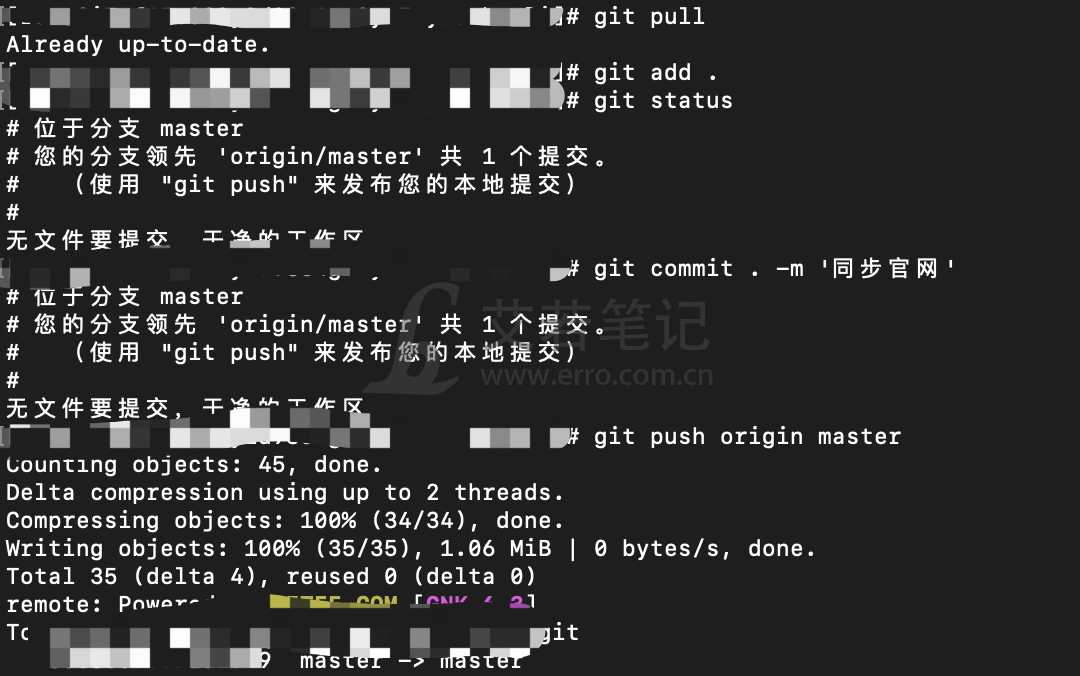
结束!

网站公告
承接各种网站、小程序、H5、公众号、CMS、CRM、OA等系统开发、维护、托管、外包等服务! 邮箱: 3163316168@qq.com
友情链接